Fail early, not at the worst moment.
The proposal doesn't stop banks saying no. It moves the no to a moment with time to fix it, instead of a checkout with food in the cart.
Now I ask where a failure should land before I design the happy path.
My debit card expired. I opened foodpanda to add the new one and there was nowhere to do it. The only way in is to spend: top up the wallet or place an order, and the card is kept only if that payment goes through. I didn't want dinner. I wanted the card ready for whenever I order next. So I mapped every route in, tested where people look for it, and designed card setup that lives in the account instead.
Not affiliated with or commissioned by foodpanda or Delivery Hero.
This is the real pandapay wallet. Tap where you'd go. Every answer tells you what that tap actually does.
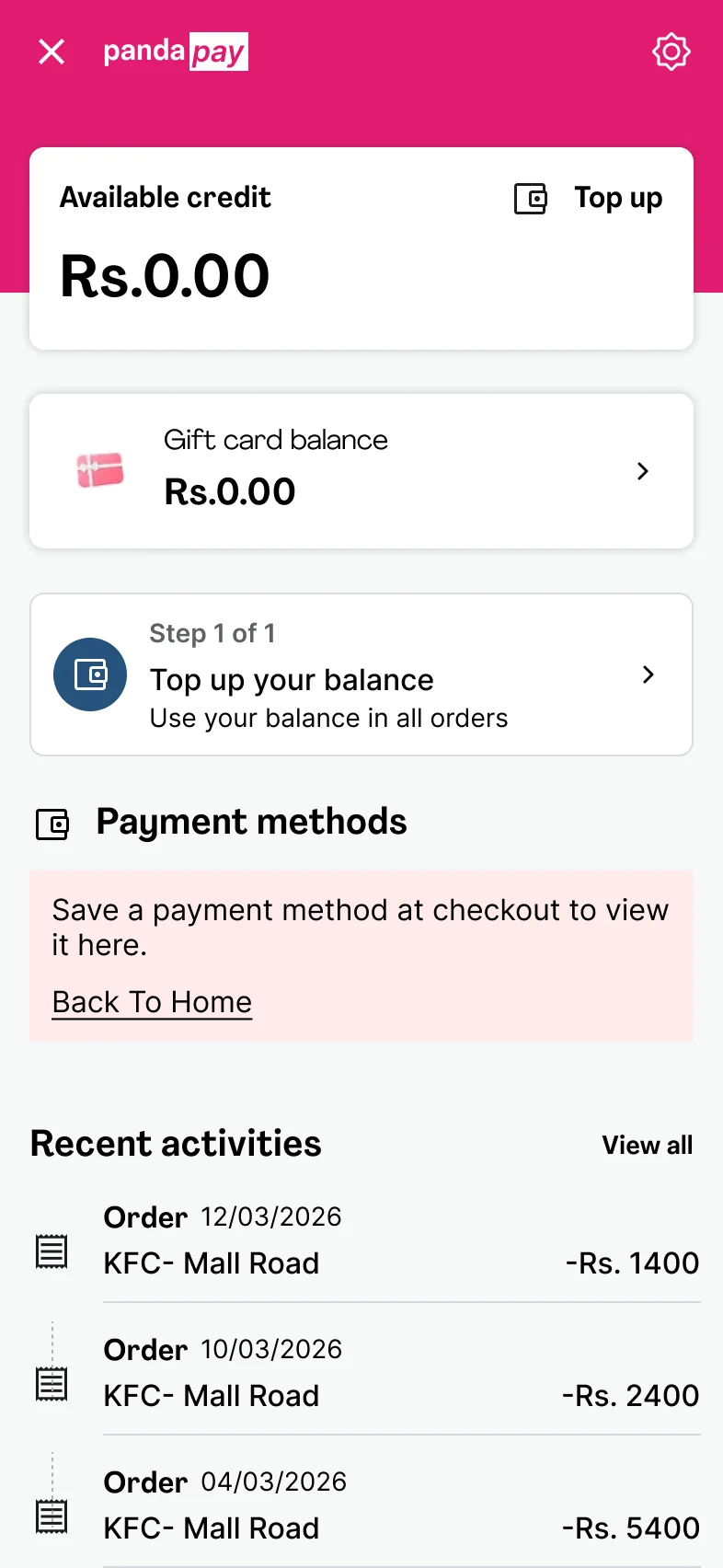
Each answer opens the real screen.
No payment, no card. There is no screen for "I just want to add it."
Adding a card is a setup task, done on your own time. foodpanda has bolted it onto a purchase, so anyone who isn't buying food this minute has no way in.
Checkout is a transaction. A card needs a home.
Letting people add a card at checkout isn't wrong. Making it the only way is. Setup and spending are different jobs, and they want different moments.
Tested on my own account, repeated on a second account, and before touching anything I asked three friends where they would go first.
Before touching the app I asked three friends one question: "Your card expired, or you have a new one. Where would you add it?" All three said Account, then Payment methods. With a card saved, that screen shows the card, a Primary badge and one link: Change. Change opens the same list. You can pick a card or delete one. There is no Add.
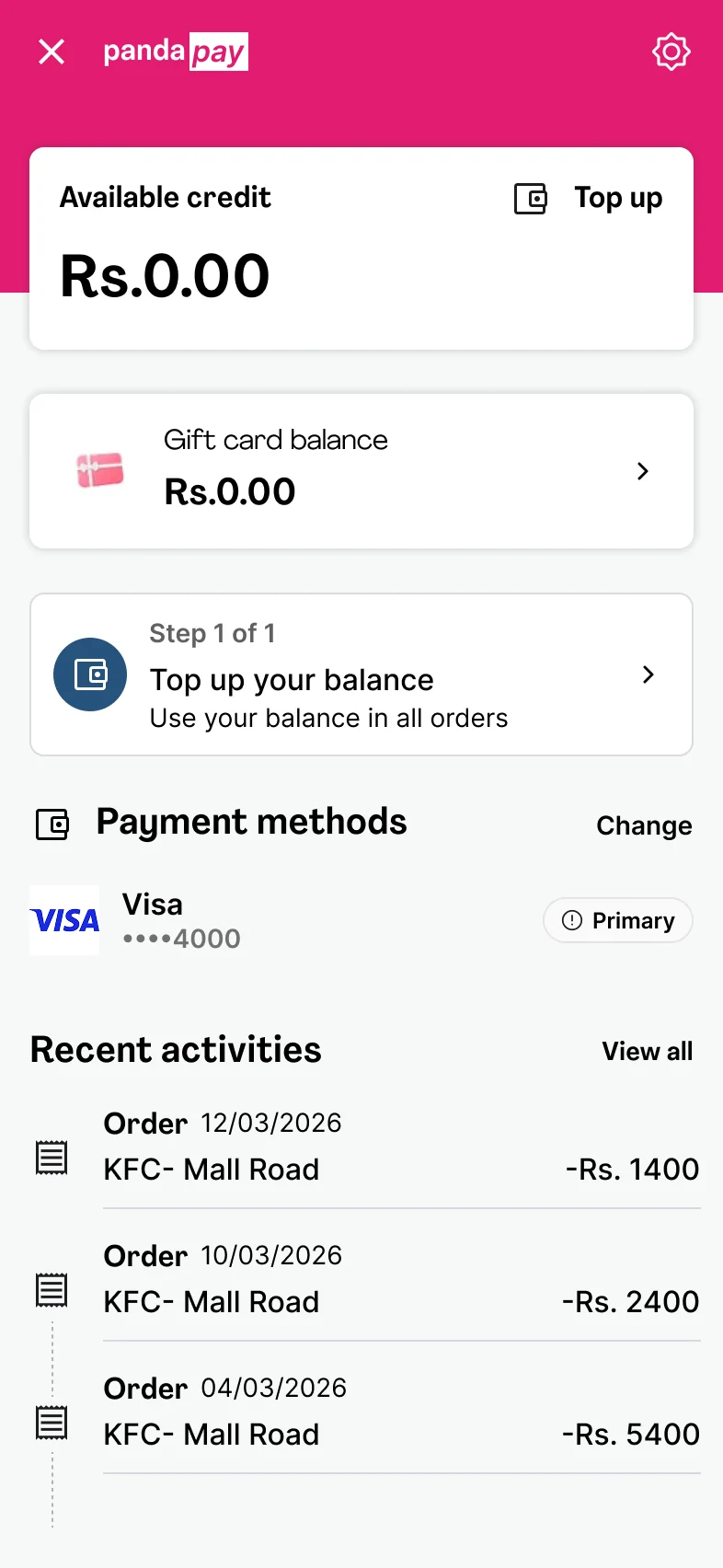 Swap, never add
With no Add in sight, the next guess is "maybe it appears once the list is empty". So people delete the card they have. What appears is not a button but a message: save a payment method at checkout. It's the first time the app says where adding happens, and the price of finding out was the old card.
Save a payment method at checkout to view it here.Payment methods, once the list is empty. The only link goes Home.
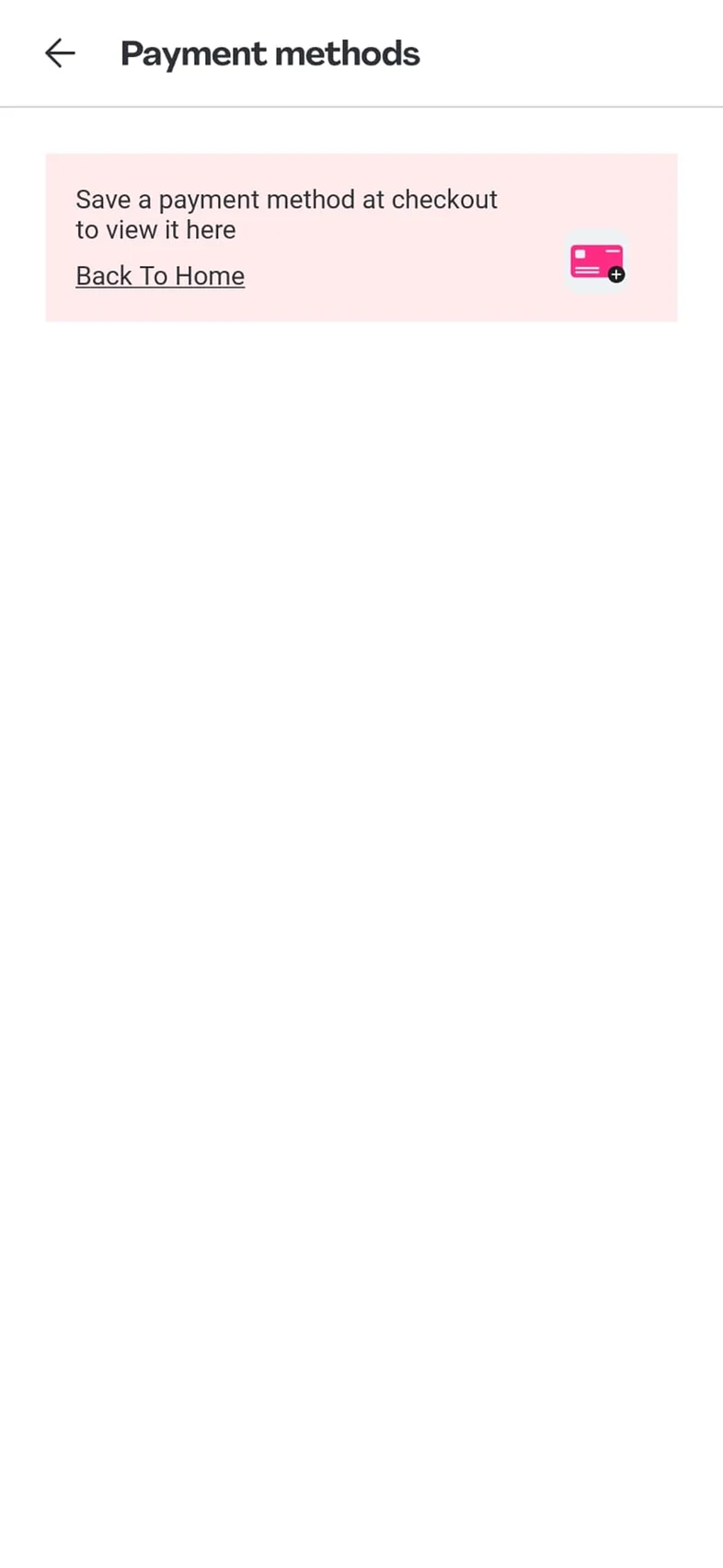 Goes to Home
Payment methods said nothing was saved. Checkout still had easypaisa ticked. Which easypaisa? No number, no name, and tapping the row shows nothing. You're about to pay with an account you can't see.
easypaisaPre-selected. Not in Payment methods.
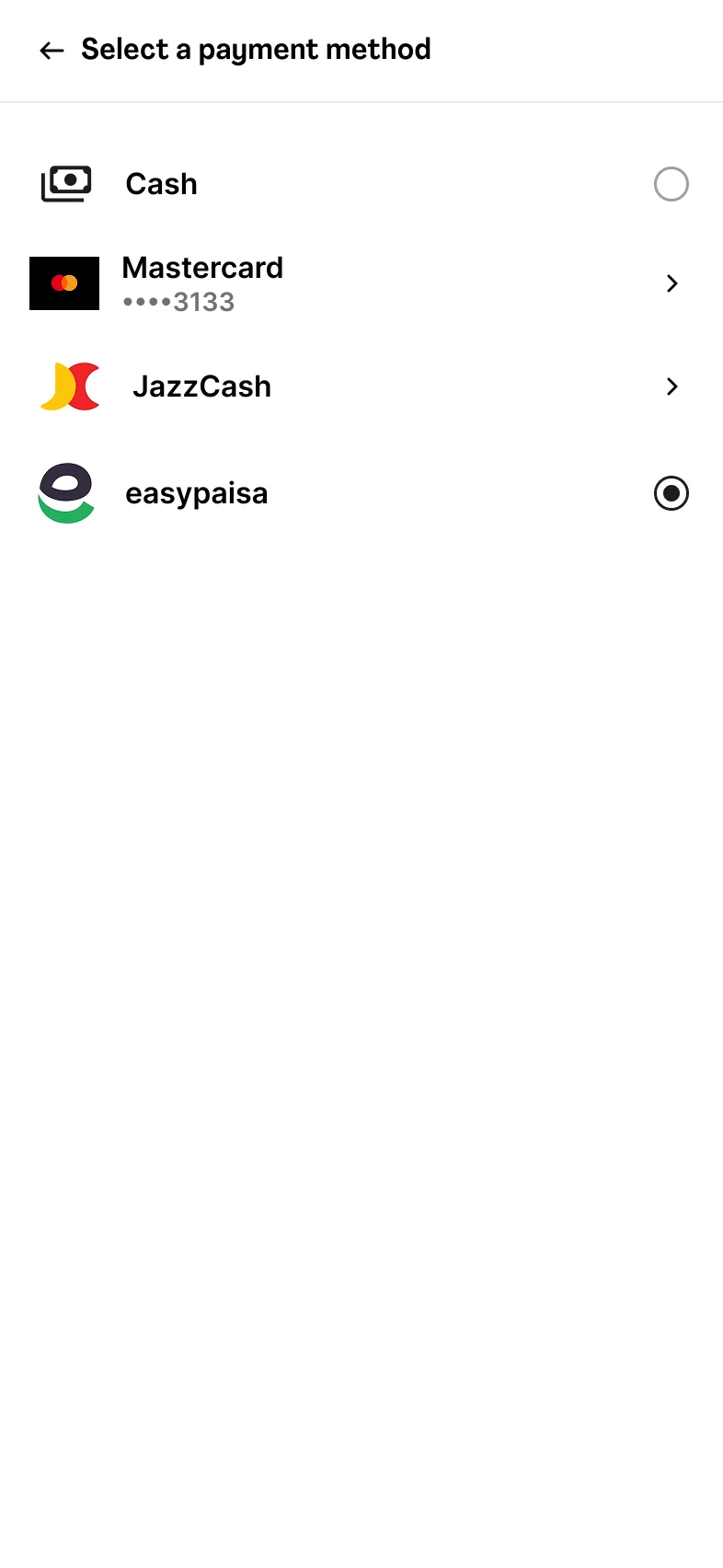 Ticked. Whose?
Both routes that accept a new card charge you: a wallet top up of Rs. 250 or more, or placing an order. There is no way to give foodpanda a card without giving it money in the same breath.
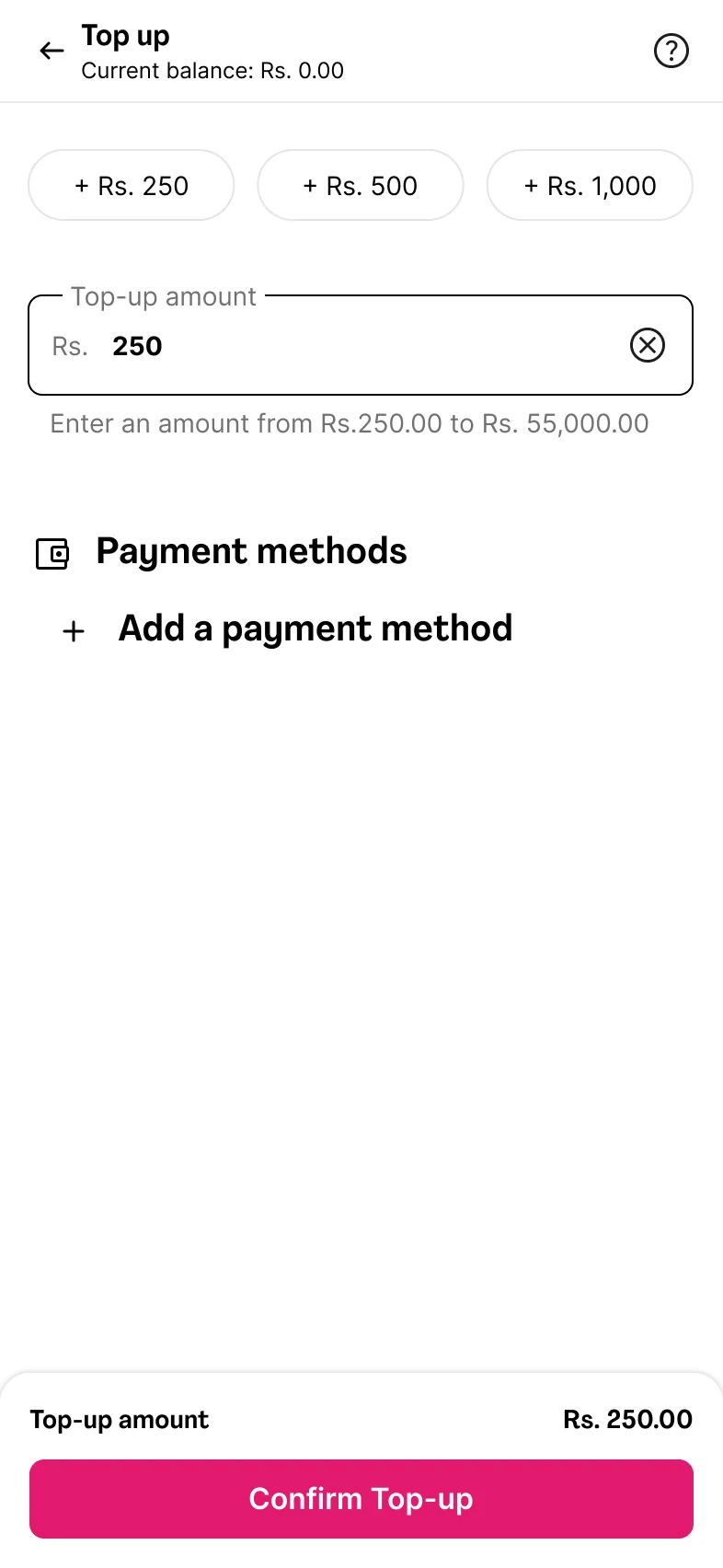 Only after Rs. 250
Say you have the card in hand, add it now, and plan to order tomorrow. Close the app: gone. Step out to Account and back: gone. Back out of Top up with "Save this card" ticked: gone. The card only exists once money has moved, and then it appears minutes later with no message.
Save this card for a faster checkout next timeThe checkbox at checkout. It doesn't, unless you pay.
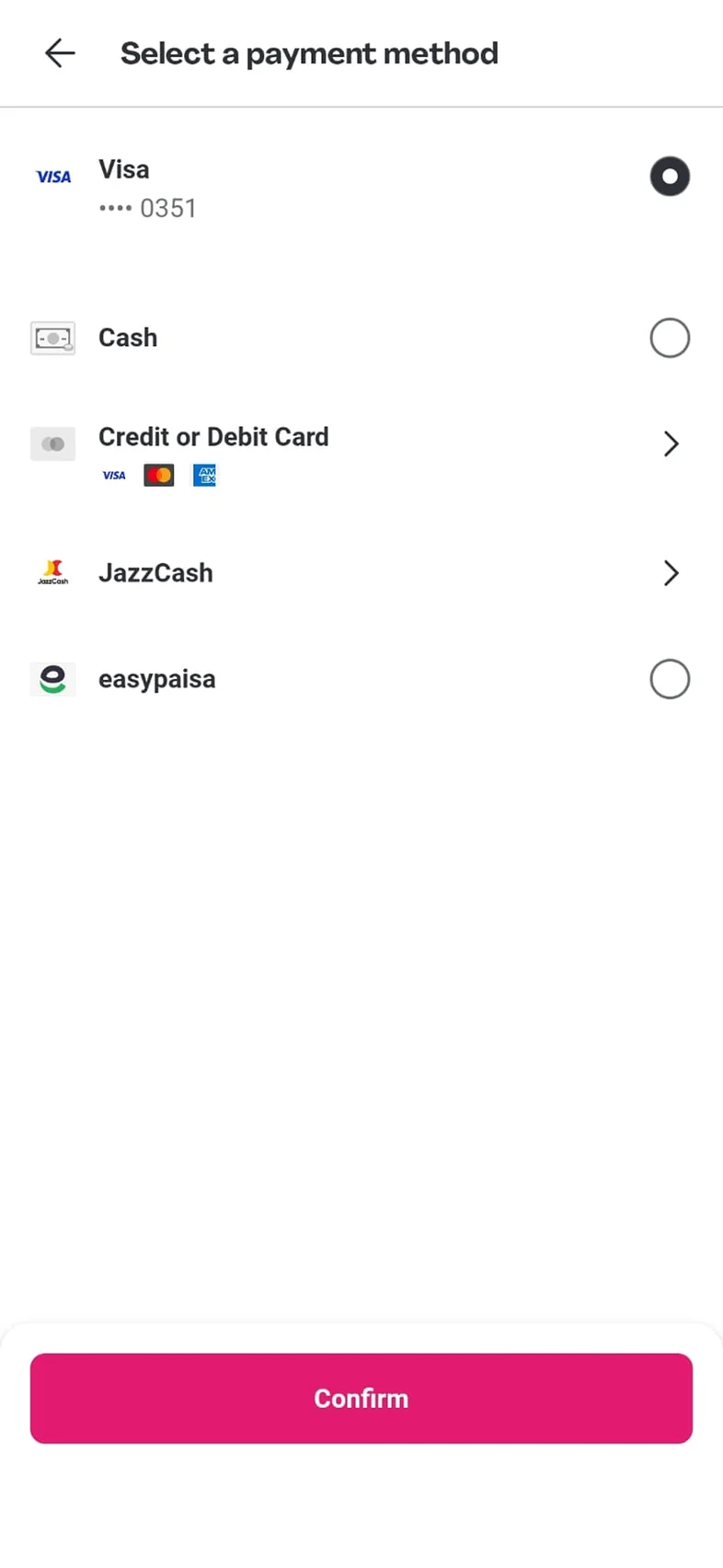 Looks saved. Isn't.
| Finding | What the person can't do | What it costs |
|---|---|---|
| 01 · A card, and no Add | Add a card where they look for it | A guess |
| 02 · Delete to find out | Keep the card they have | The old card, to learn adding lives at checkout |
| 03 · A ghost in the picker | See which account is about to pay | Trust in the screen that handles money |
| 04 · Every add is a payment | Add a card without spending | Rs. 250, or a full order |
| 05 · Memory, not the account | Add now, use later | 16 digits, typed again |
| Card setup has been bolted onto a purchase. Everything else follows from that. | ||
The task is the same each time: add a card and have it verified, without paying for anything. Three routes exist today. Pick one to see what happens and why it fails. None of them lets you do it.
Not an edge case. A certainty, on a schedule the bank sets. Here's what it costs when it goes wrong, and what has to change.
You find out whether your card works only when you're trying to buy dinner. If it fails: pay cash if you have it, or abandon the order. And the only way to check again is the next checkout.
Restaurant, dishes and slot already chosen. Payment is the most expensive place to lose someone.
Repeat orders, one-tap checkout and top ups all need a working card already there. foodpanda is actively moving cash users to cards.
Without a top up, without an order, without deleting the one you have.
The bank check the card already goes through, moved to a calm moment.
What the account shows is what checkout offers. No ghosts, no surprises.
I don't think this is an accident. A free add-card form creates real problems. The proposal has to solve them too.
It sends people to checkout to save a card, and checkout doesn't save it unless they pay.
Points to a step that only saves the card if you pay. Links somewhere else.
Says when the card is kept. The link goes where the message points.
The findings changed the design: not a better checkout form, a home for cards.
One Add button in the wallet, one bank check that takes no money, and a status that tells checkout what it can trust. Everything else on the screen stays where it was.
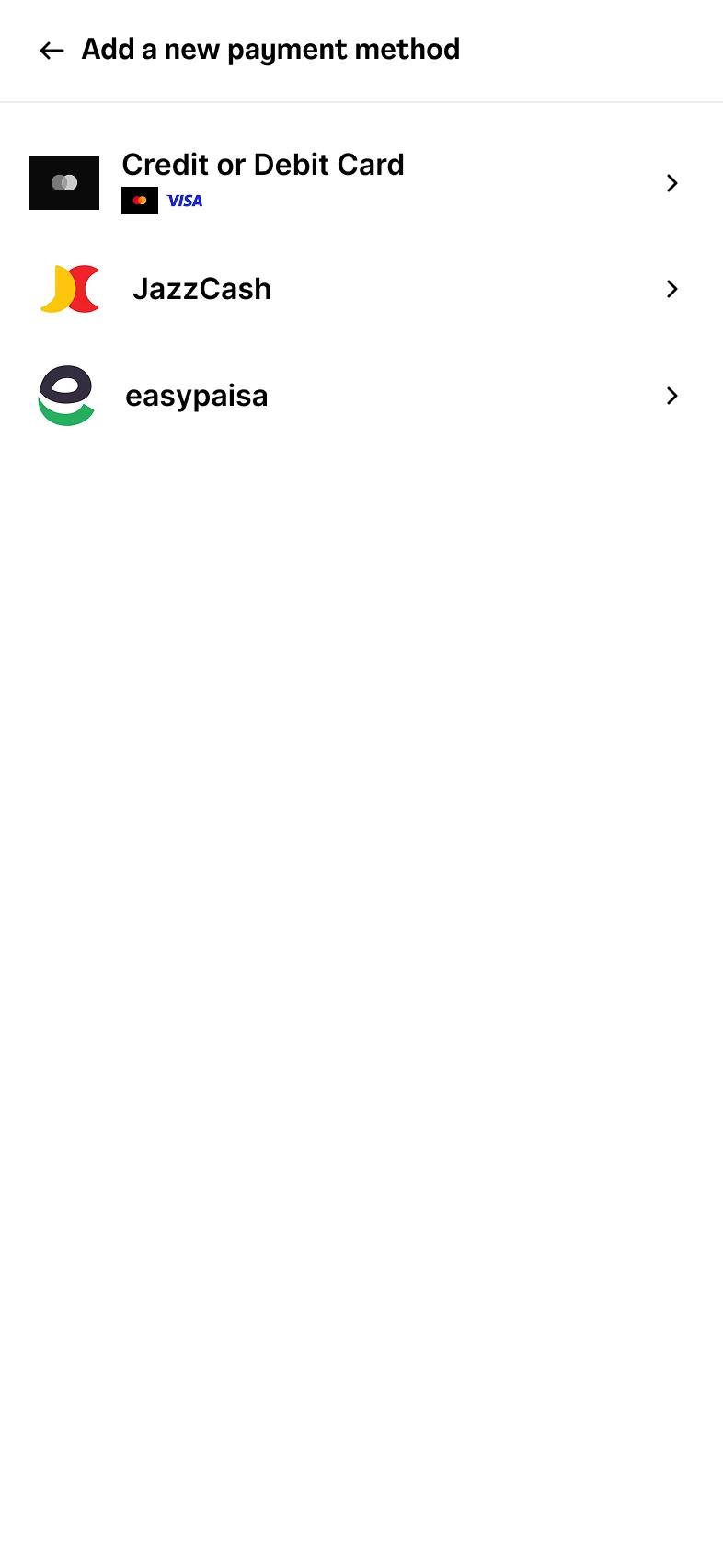
Opens the same type list checkout uses. The card is saved the moment you tap Add card.
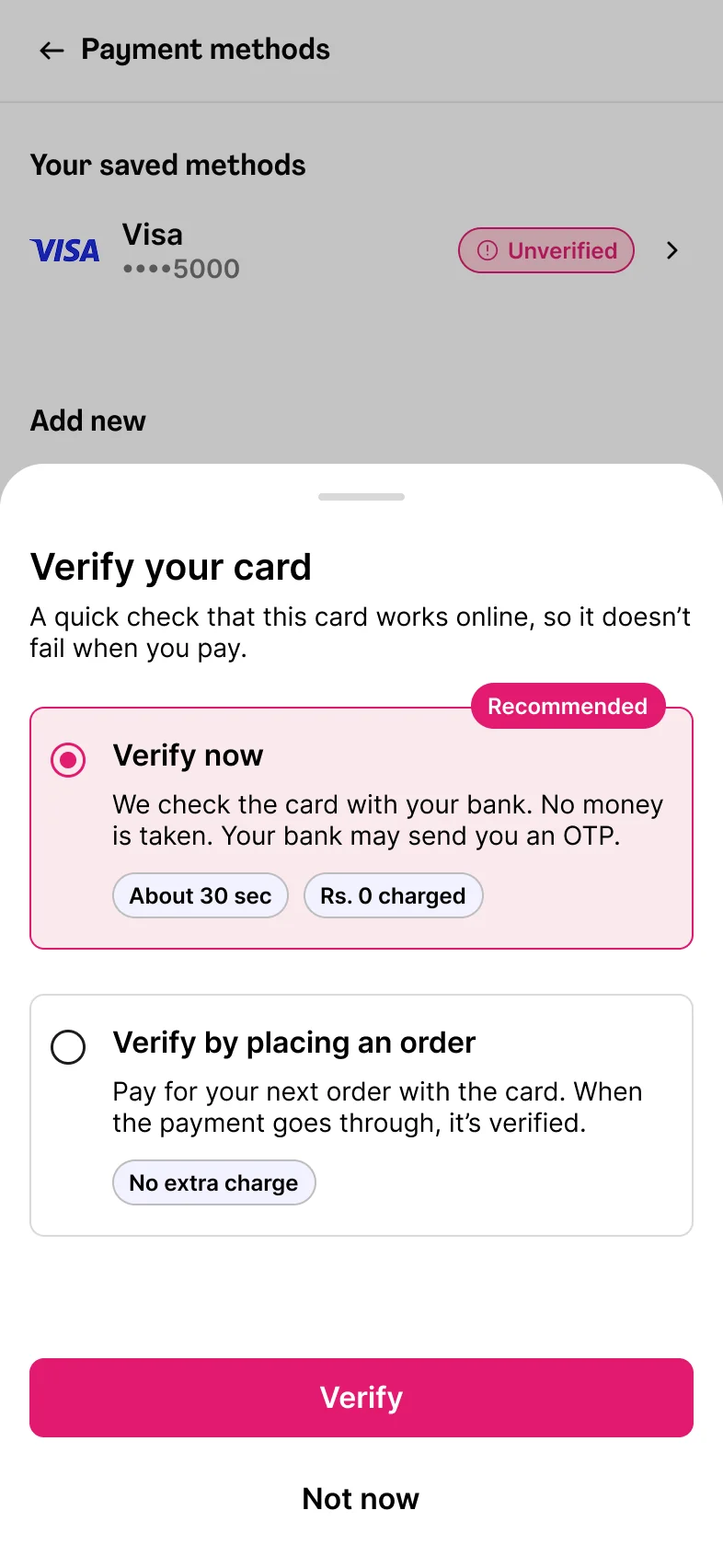
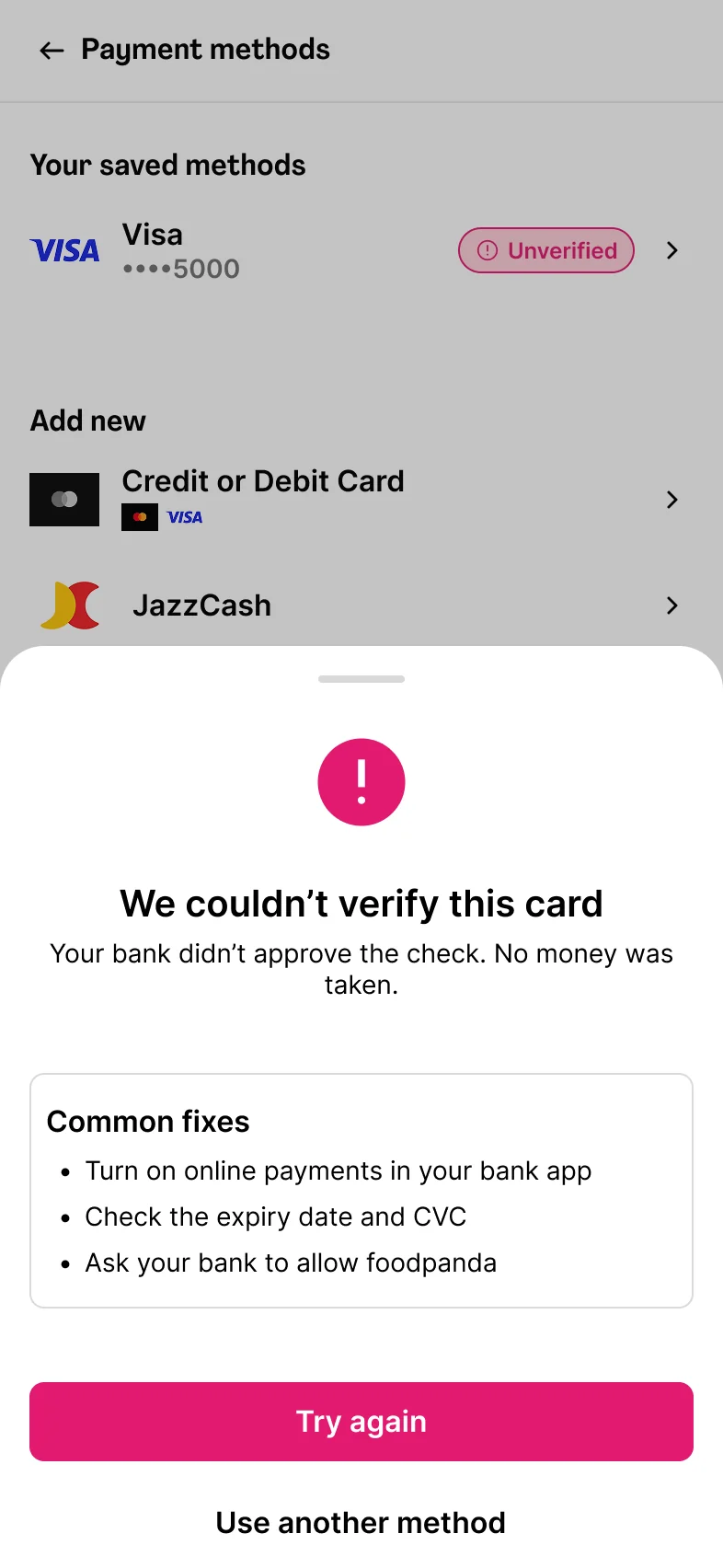
Saved, not yet checked. A Rs. 0 check with the bank, or the next order, clears it.
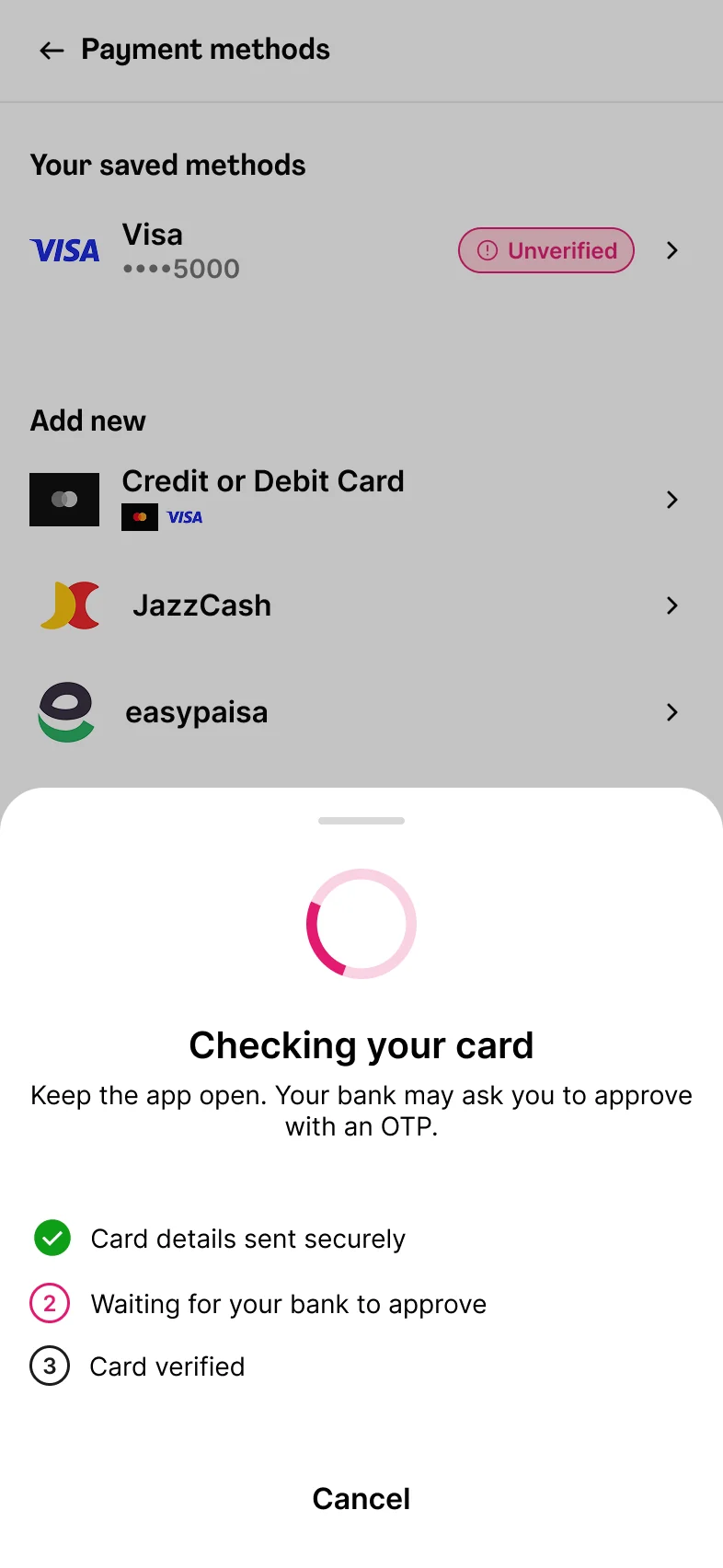
Every first payment on a card already triggers the bank's OTP. The proposal moves that check to a calm moment. It adds nothing new for the bank.
All three friends I asked went to Payment methods first. Putting Add there means nothing to learn and nothing to announce.
foodpanda's own card form, its own type rows, its own list. One button, one status, one sheet.
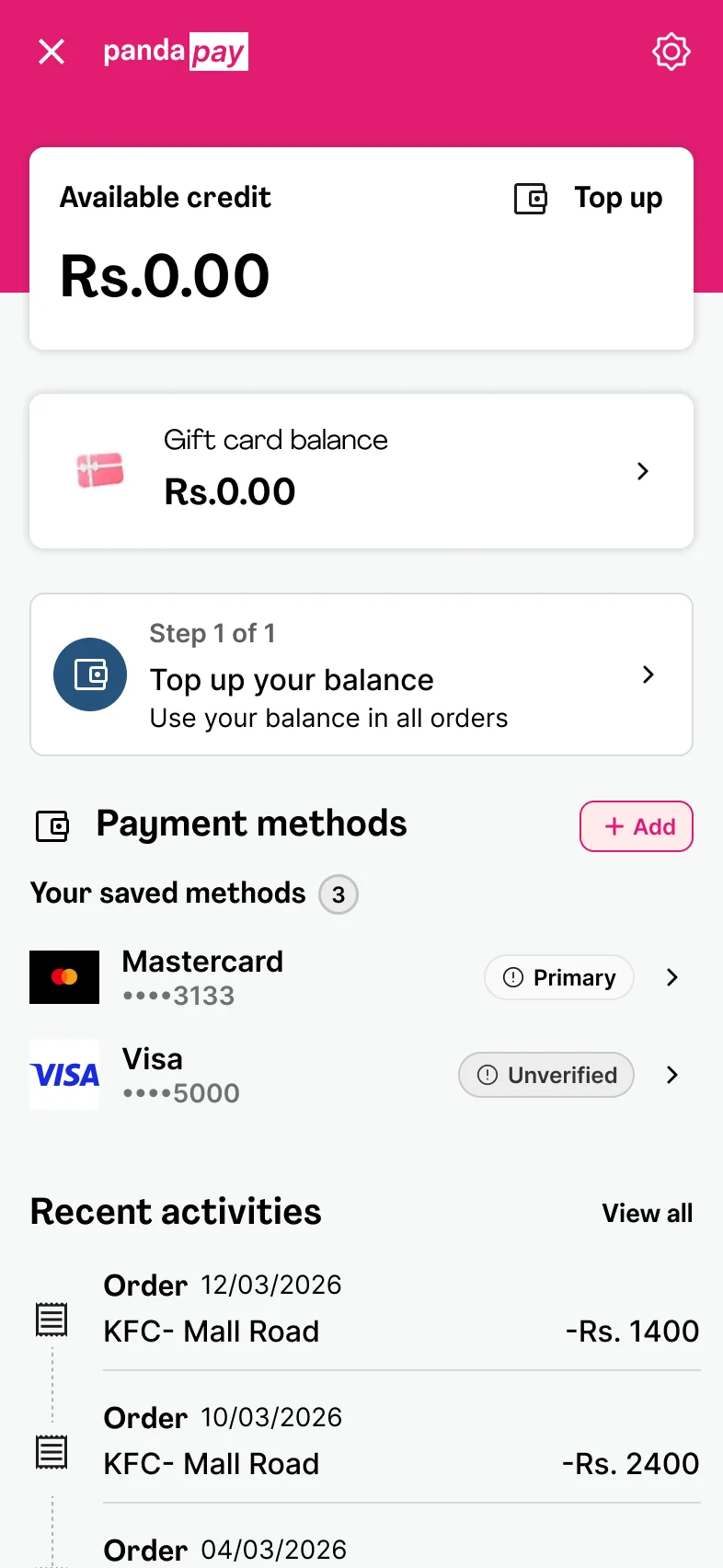
Same question, new wallet.
An Add path, a verification step the bank already performs, and a set of states checkout can trust. Designed in Figma from foodpanda's own components. For each decision, what I chose and what I dropped.
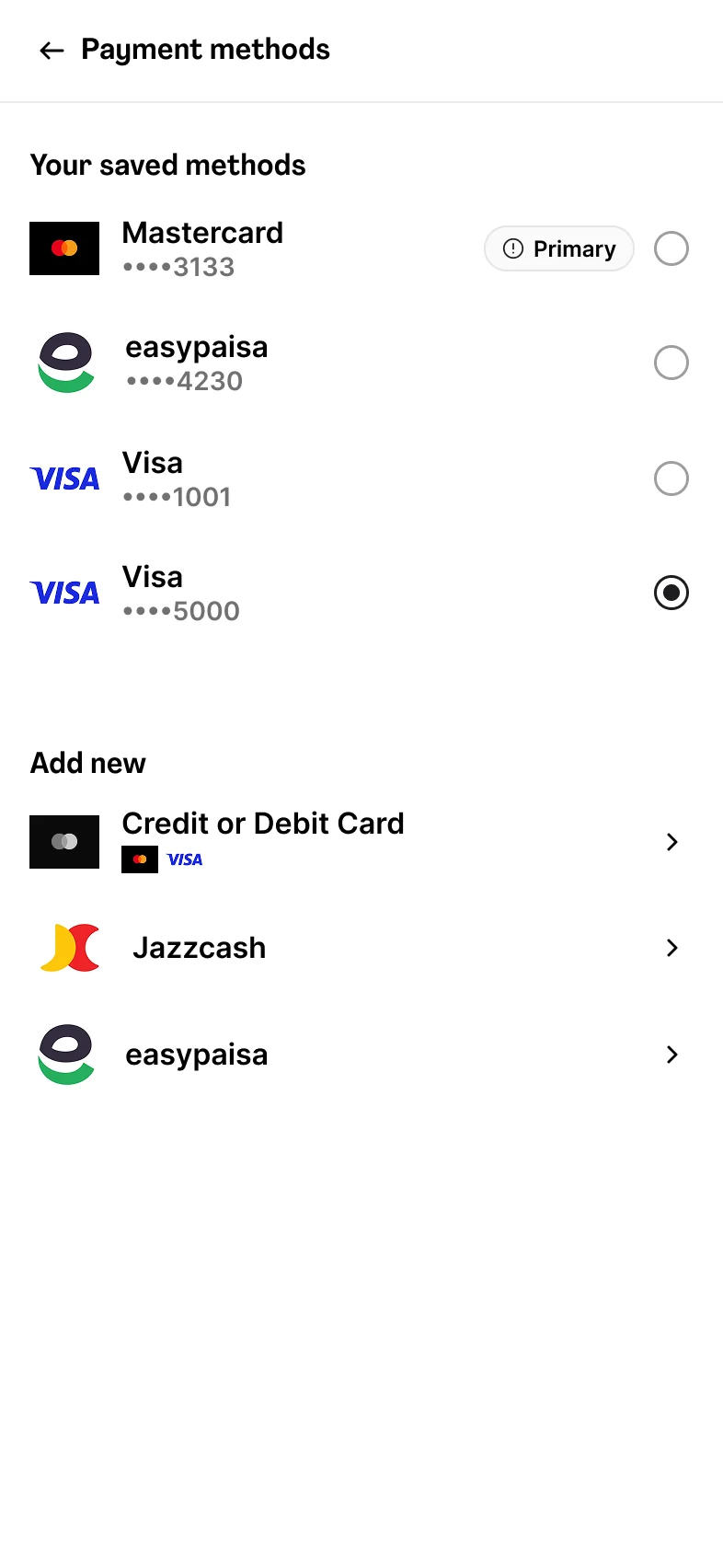
Both Payment methods screens get Add. The Account screen itself doesn't change.
The wallet shows the primary method plus anything needing attention. The full list is one tap away.
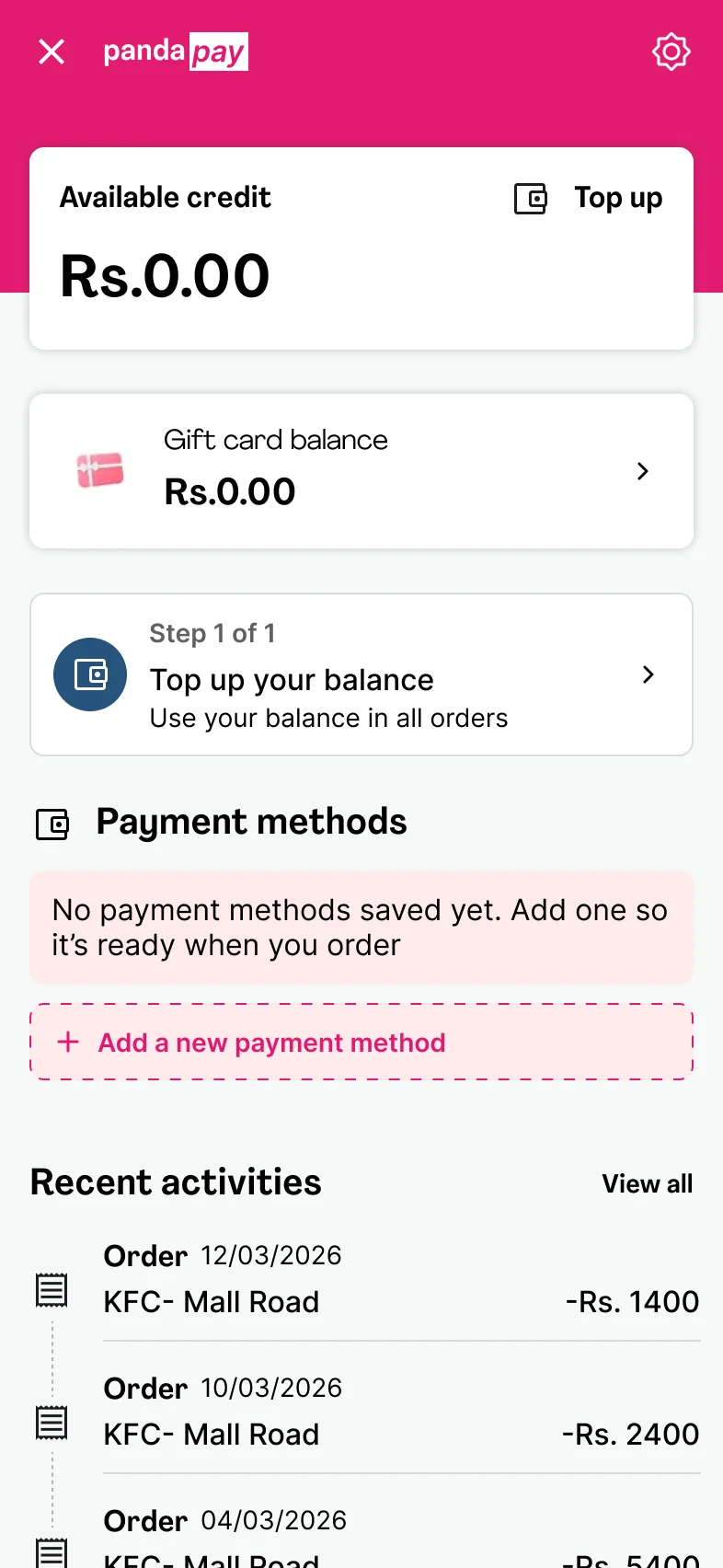
Tap Add card and it's saved, marked Unverified. Nothing typed is ever lost again. Skip the check with Not now, and the card is still saved and ready at checkout.
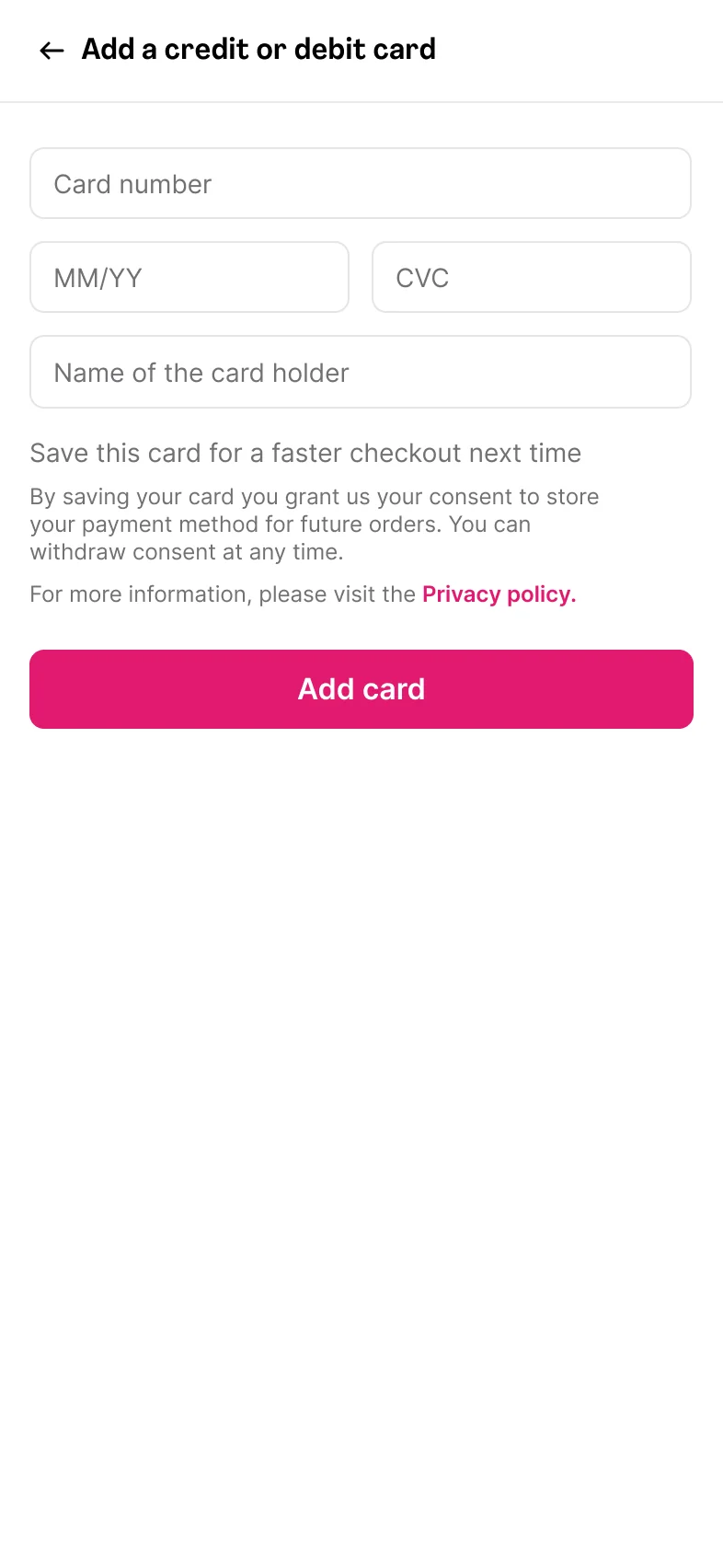
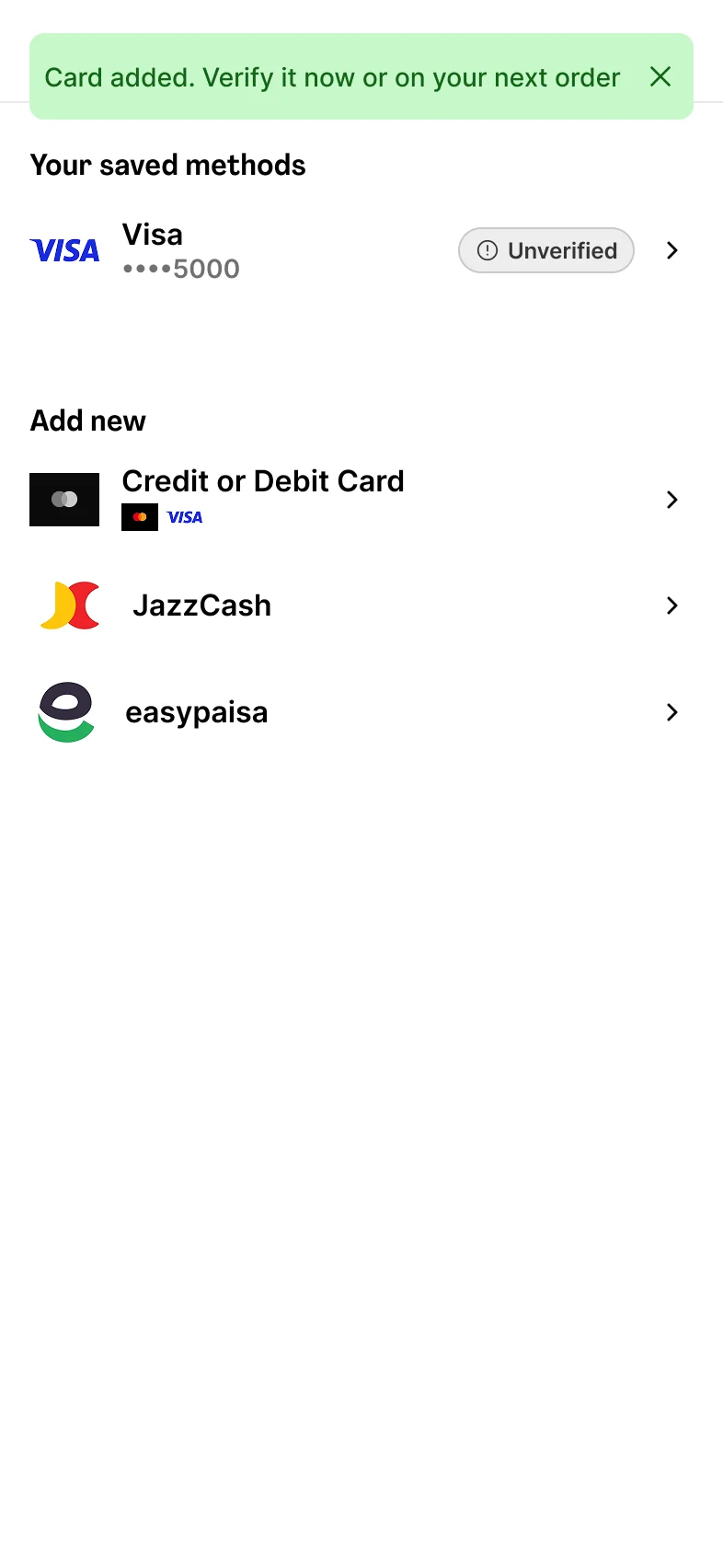
A zero-amount authorisation asks the bank if the card works online. Nothing shows on the statement.
Checked on a live order: the bank asked for an OTP on the first payment, not the next. That one-time check is all the proposal moves.
The "Add new" rows from checkout take you straight to the right form. One tap, nothing to learn.
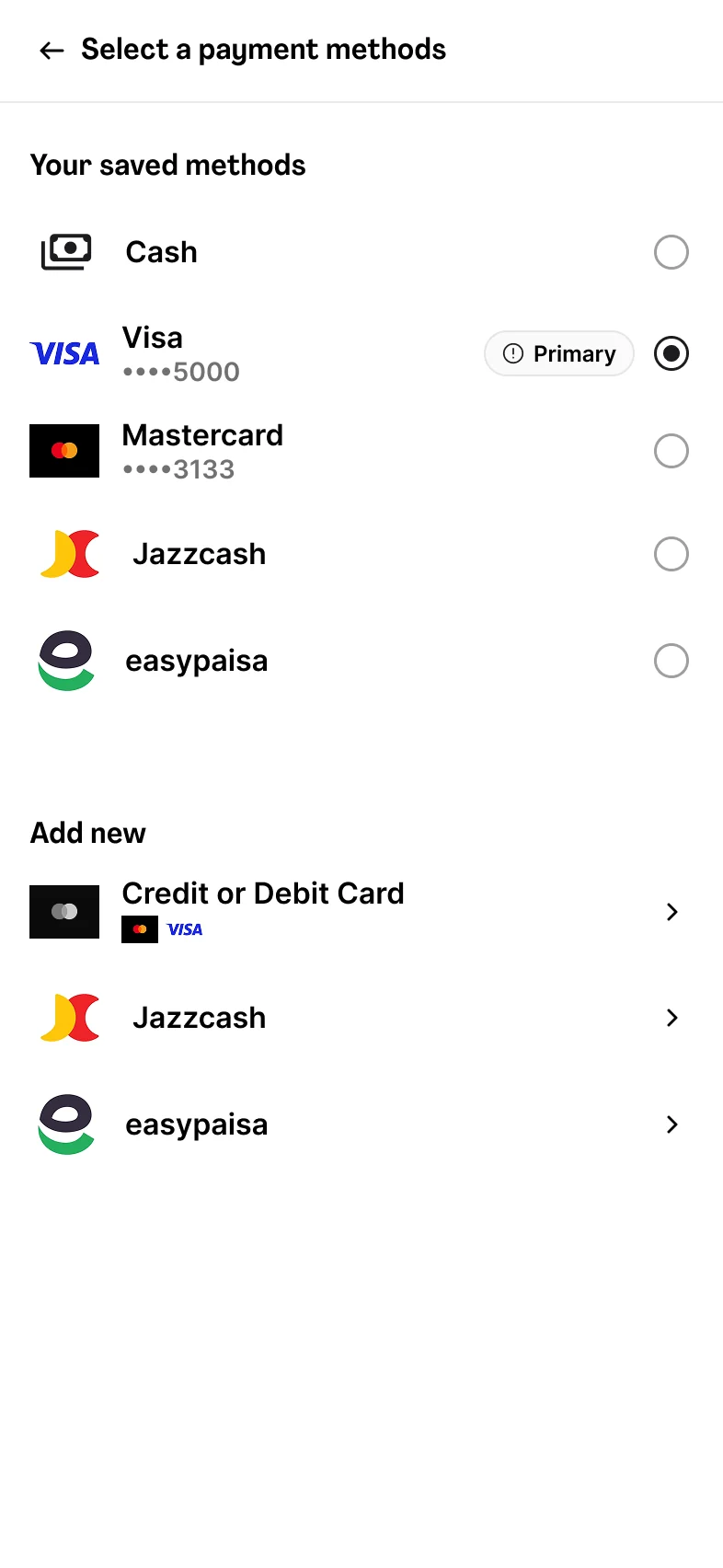
At checkout, radios appear only next to methods that exist in Payment methods. Nothing unlinked is ever pre-selected.
Most failures are fixed in the bank app in a minute. The card stays, with the usual fixes and a Try again.
Three of the five findings happen on this one screen. With the account fixed, checkout only has to read from it.
1231A method I never saved, already ticked.
2Saved cards and "add new" look identical. The chevron is the only way to add.
3Whatever you type on this screen lives here. Leave, and it's gone.
 123
1231Radios only next to methods that exist in Payment methods. Nothing unlinked is ever pre-selected.
2"Add new" is its own group. Adding here saves to the account, Unverified; the order verifies it.
3One list, read from the account. The primary card is already chosen, so most orders never open this screen.
The proposal doesn't stop banks declining cards. It changes when you find out, and what you can do about it.
Food chosen. You assumed the card would work.
A quiet evening. Nothing in the cart.
Don't make people fix their card at the exact moment they need it most.
Checkout reads the same list as Payment methods. Nothing more.
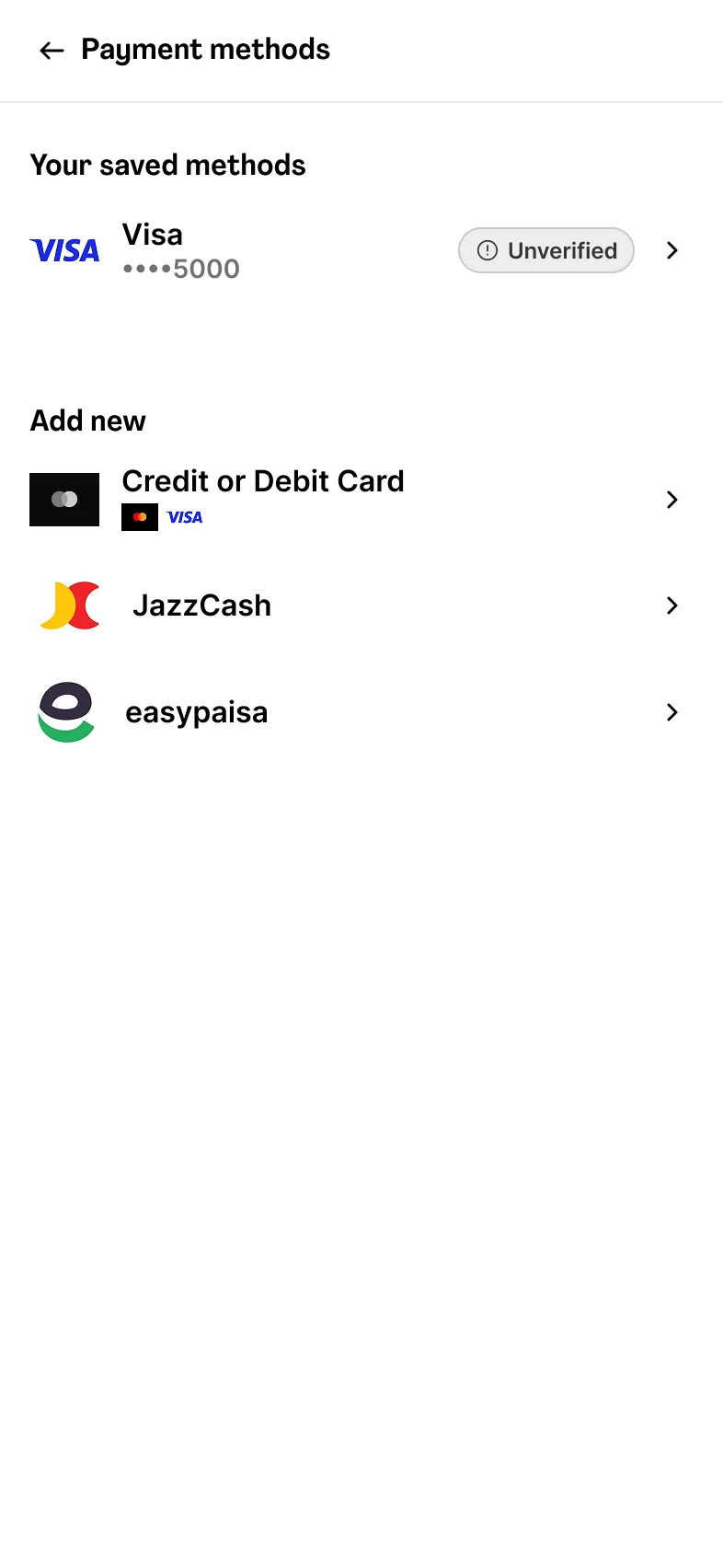
Tap to verify now, or it verifies on the next order.
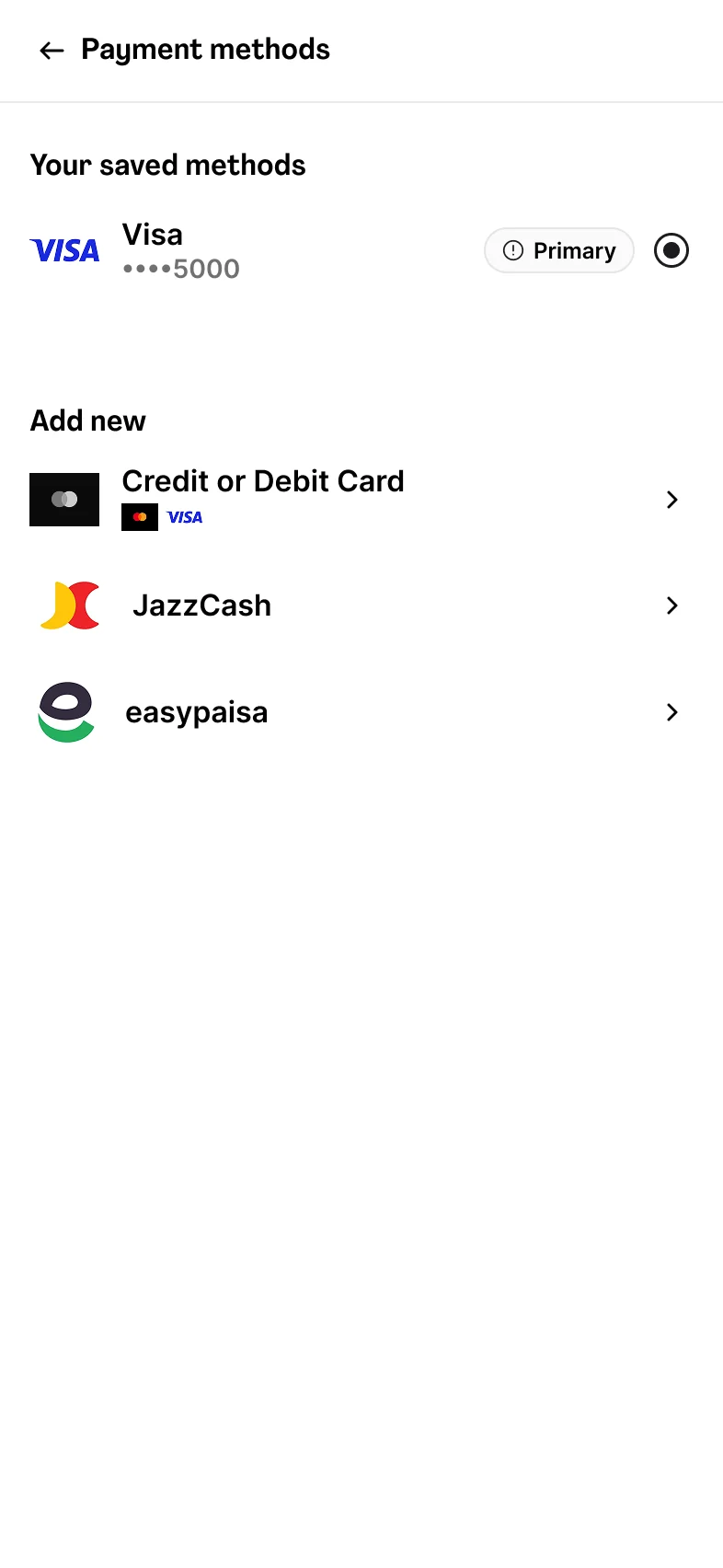
The first verified card becomes primary. No extra badge.
The card stays. Try again when the bank app is sorted.
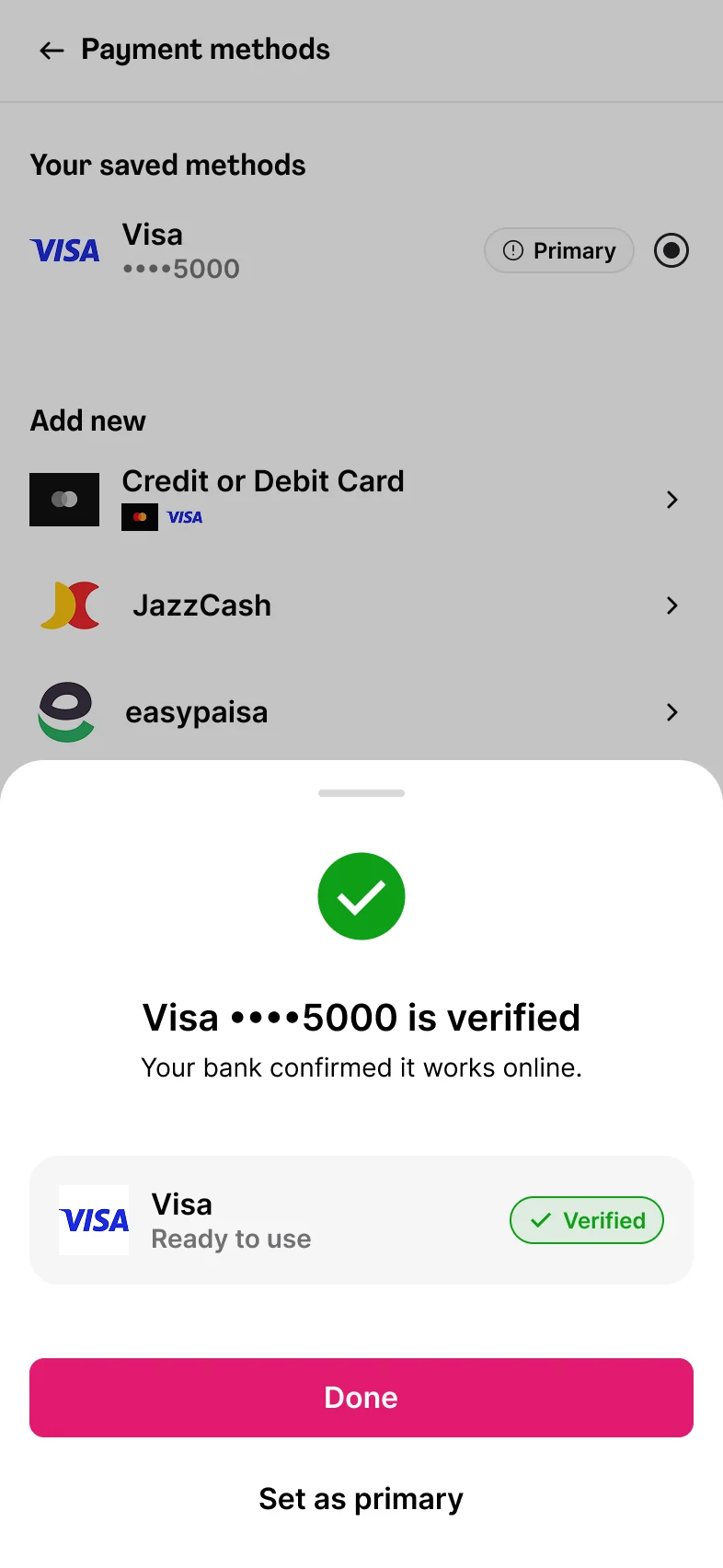
Done, or set it as primary. The list behind has already updated.
Three chapters, each in its own colour. No top up, nothing typed twice, and the card is already there when the food is.
One handle moves both screens. Today the wallet offers Change, which only swaps cards. Proposed adds Add; swapping happens on the row itself.
The wallet
The checkout picker
Most take a small hold and release it. A Rs. 0 check is the cleaner version of the same idea, and it's what the card networks now ask for.
a small temporary authorization hold of amount (not a charge)
usually $1, $2, $5
required to first add a new card before removing the existing card
Saved only after a successful payment
Saved at once as Unverified. A Rs. 0 account verification with the bank, or the next order, verifies it
Fraudsters use the free form to test stolen card numbers.
Adds per account spike; verification failures cluster on new accounts.
Cap adds per day, OTP on every add, lock adding after three failed checks.
Unverified cards pile up and still fail at the first order.
Share of first orders placed on an Unverified card, and their decline rate.
Nudge to verify before checkout; run the Rs. 0 check in the background after adding.
A card can't be checked with the bank.
Verification failure rate by bank.
The card stays saved as Unverified, and the next order verifies it. Never a charge and refund.
If first-order declines go up after launch instead of down, Add stays but saving waits for verification. The account keeps the card either way.
If card setup moves into the account, these are the numbers that should move, for the person and for foodpanda.
| Signal | What I'd watch |
|---|---|
| Cards saved outside checkoutPeople set up on their own time, not mid order. | Adds from Payment methods vs adds from checkout |
| Fewer first-order declinesThe bank check happened before the food. | Decline rate on a card's first payment |
| Fewer cash fallbacksA working card is already there. | Switches to cash after a card failure |
| Less card re-entryNo more typing 16 digits twice. | Repeat card entries per account |
| More cash users become card usersfoodpanda's own goal, with a first attempt that can succeed. | Share of cash-on-delivery users who save a card before their next order |
| Fewer "where did my card go" ticketsNothing disappears any more. | Payment-method support contacts per 1,000 orders |
"Your card expired. Add the new one so it's ready next time." Half on today's app, half on the prototype. Time to find Add; who gives up or starts an order to do it.
Four things this study changed about how I work.
The proposal doesn't stop banks saying no. It moves the no to a moment with time to fix it, instead of a checkout with food in the cart.
Now I ask where a failure should land before I design the happy path.
Adding, verifying and replacing a card are account jobs. Checkout should read from the account, not stand in for it.
Now I ask which screen owns the data before I draw the form.
The bank already checks every new card. The networks mandate a Rs. 0 check for exactly this. A Rs. 250 top up was never the only way to know a card works.
Now I look at what the rails already do before I add a step.
Three out of three went to Payment methods. The fix belongs where the mental model already points, not where the data happens to live.
Now I start from the first click, not the data model.
Card setup moves from the checkout into the account, with a verification step the bank already does and states checkout can trust. Seventeen screens, ending where the problem started: at checkout, with the card already there.
Next, from my case studies
That was a self-initiated study. Here's one of my full case studies.
